 MarketingHow to Use Google Trends for Marketing: A UK GuideHow UK marketers can use Google Trends to find seasonal peaks, compare terms, spot rising topics and plan content and campaigns.
Google Analytics 4: A Practical Guide for UK Businesses
How UK businesses can get real value from Google Analytics 4: key events, cookie consent, Search Console and the reports worth reading.
Google Analytics is Google's free tool for understanding who visits your website, how they found you and what they do once they arrive. The current version, Google Analytics 4 (GA4), tracks events such as page views, form submissions and purchases, and lets you mark the ones that matter as key events. For UK businesses, getting real value from it means setting up the right events, connecting Search Console, handling cookie consent properly and reading a few reports regularly. This guide shows how.
It is written for business owners and marketing managers in the UK who have Google Analytics installed but are not sure what it is telling them.
What Google Analytics 4 measures
GA4 replaced Universal Analytics, which stopped processing data in 2023. Google explains the change in its introduction to the next generation of Google Analytics. Instead of sessions and pageviews at the centre, GA4 is built around events.
| Concept | What it means |
|---|---|
| Events | Anything that happens on the site: a page view, a scroll, a click, a form submission |
| Key events | The events that matter to your business, such as enquiries, calls or purchases |
| Traffic source | How visitors arrived: organic search, paid ads, social, email, referral or direct |
| Engagement | Whether visitors stayed, scrolled and interacted, rather than leaving at once |
Set up the events that matter
Out of the box, GA4 records page views and some interactions. It does not know what a lead or sale is for your business. Set up and mark as key events:
- Contact and quote form submissions.
- Clicks on phone numbers and email addresses.
- Bookings and appointment requests.
- Purchases, with revenue, for online shops.
- Downloads of brochures or price lists, if they signal real interest.
Without these, reports show traffic but not results.
Cookie consent and UK privacy rules
Analytics uses cookies, so UK websites must follow the Privacy and Electronic Communications Regulations and UK GDPR, overseen by the Information Commissioner's Office. Use a consent banner that lets visitors choose, and set up Google's consent mode so tags respect those choices. The Data (Use and Access) Act 2025 amended PECR so that some analytics cookies can be set without consent, as long as visitors get clear information and a simple way to object. Whether your setup qualifies depends on how it is configured, so check the ICO's latest guidance and take advice for your situation.
The reports worth reading every month
- Traffic acquisition. Which channels bring visitors and key events.
- Landing pages. Which pages people arrive on, and which lead to enquiries or sales.
- Key events by source. Where your leads and sales actually come from.
- Search Console reports. After linking Search Console, open Reports, then Library, and publish the Search Console collection to see the Google searches that bring visitors to each page.
- Devices. How mobile and desktop visitors behave, and whether either converts poorly.
Compare with the same month last year as well as last month, because many UK businesses have seasonal patterns.
Common Google Analytics mistakes
- No key events, so reports show traffic but not results.
- Internal visits from your own team counted as customers.
- Forms and phone clicks not tracked at all.
- Consent banners that block analytics even after visitors accept, or that fire tags before visitors choose.
- Reports checked once a year instead of monthly.

Turning analytics into action
Analytics is only useful if it changes what you do. Use it to find pages with traffic but few enquiries, channels that bring visitors who never convert, and journeys where people drop off. Then improve those pages, adjust budgets and test changes. Our conversion teardown uses this data to find the biggest wins, and our Power BI developers build dashboards that combine analytics with sales data.
How Codeeo helps
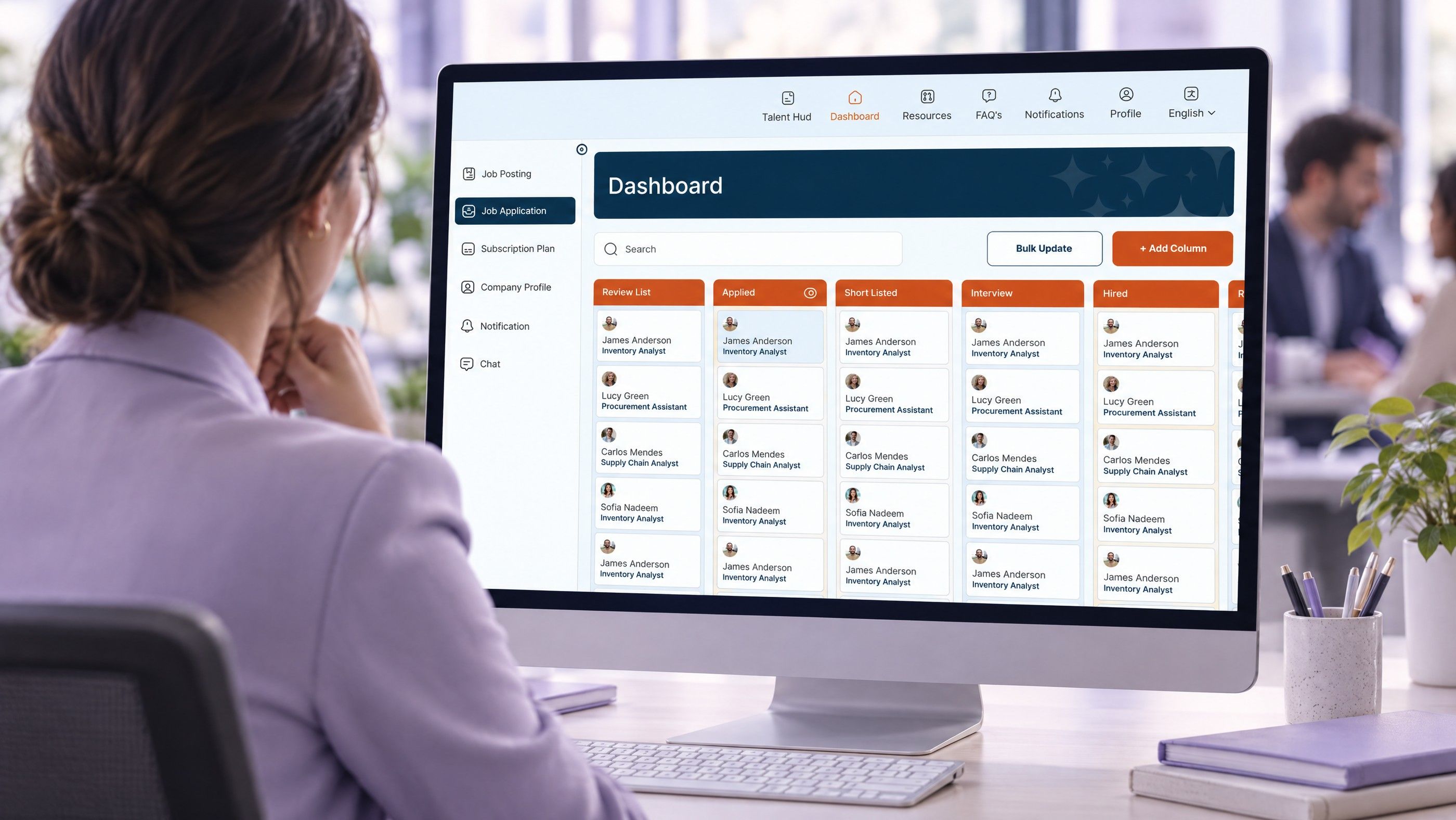
Codeeo has delivered over 200 projects across the UAE and the US, with a team of more than 80 people in Dubai, Riyadh and Karachi, and is rated 4.7 from 23 Google reviews. We set up Google Analytics 4 with the right key events, consent and reporting, and our digital marketing and web development teams act on what the data shows. For an example of the dashboards we build, see our Seamfox case study, a recruitment platform where applications move through a kanban pipeline. To get started, contact our team.
Frequently asked questions
Google Analytics 4 is the current version of Google's free website analytics tool.
It records events, such as page views, clicks, form submissions and purchases, and lets you mark the important ones as key events. It shows where visitors come from, what they do and which channels bring enquiries and sales, across websites and apps.
Analytics cookies fall under UK privacy rules overseen by the ICO, and in most cases websites have needed visitors' consent before setting them.
The rules have been changing, so check the ICO's latest guidance for your situation. Use a consent banner that gives a real choice, and set up consent mode so Google tags respect it.
Key events are the actions you mark as important to your business, such as contact form submissions, phone clicks, bookings or purchases.
Google previously called them conversions. Marking key events lets reports show which channels, campaigns and pages produce real results, not just visits.
In GA4, open the admin area, find product links and choose Search Console, then select the verified Search Console property for your site.
Once linked, Search Console reports appear in Analytics, showing which Google searches bring visitors to each landing page alongside how those visitors behave.
Start with traffic acquisition to see which channels bring visitors and key events, then landing pages to see which pages turn visitors into enquiries or sales.
Add the Search Console reports for organic search and the device report to spot mobile problems. Review them monthly and compare with the same period last year.
MarketingHow to Use Google Trends for Marketing: A UK GuideHow UK marketers can use Google Trends to find seasonal peaks, compare terms, spot rising topics and plan content and campaigns. MarketingWhat Is Digital Marketing? A Plain Guide for UK BusinessesWhat digital marketing includes, how the channels work together, the UK rules to follow and how to plan digital marketing for your business.
 MarketingGoogle Ads Conversion Tracking With GTM: Fixing Zero ConversionsWhy Google Ads shows zero conversions while leads arrive, and how to fix it in GTM: form triggers, WhatsApp clicks, GCLID capture, consent mode and a seven-step debugging order.
Tell us what the business needs. We will tell you what to build first.
Schedule a free consultation and get a written recommendation, with costs, before you commit to anything.
Get in touchPROVEN RESULTS
4.7 / 5verified reviews on Google